
CalibreMaintenance, in order.
When something breaks, whoever spots it reports it from their phone. The job is recorded, assigned, moved along and closed — and at any moment you know who has it and what was done.
Sign in from the button above, with an account your organization has set up.
Maintenance doesn't fall apart for lack of effort. It falls apart for lack of a record.
In most properties it lives in message threads. Someone mentions a leaking tap, someone else says they'll look at it tomorrow, and two weeks later nobody knows whether it was fixed, who fixed it, or what it cost.
Calibre replaces that thread with a record. Every repair is a ticket with an owner, a status and a history. Nothing depends on somebody remembering.
Three steps, and none of them gets skipped.
Reported where it happened
Whoever sees the problem opens the ticket on the spot: what happened, in which area, and a photo taken right there. No going back to the office, no need to know who to tell.
Assigned, and moving
The job goes to the right person, with its priority and its due date. It changes status as it gets resolved, and every move is signed and dated in the history.
Costed, not guessed
Hours and materials are logged against each job, with the supplier and the invoice. What maintenance costs stops being a year-end estimate.
The whole loop, in your pocket.
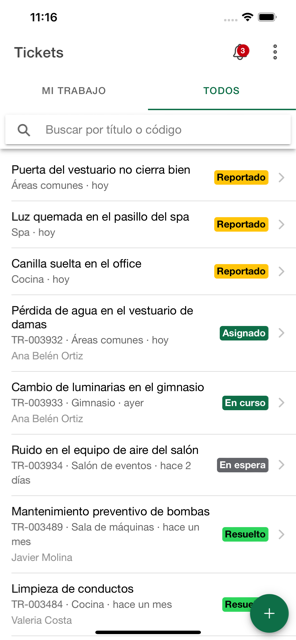
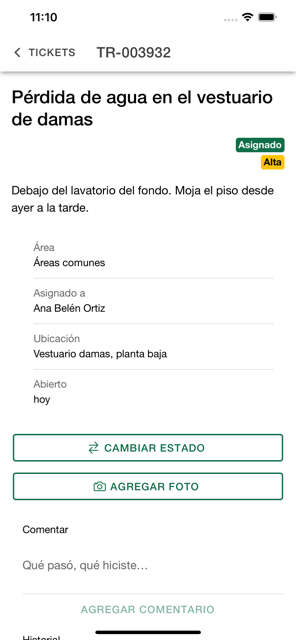

Report, search, assign, comment and close. Notifications arrive on the phone, and tapping one takes you straight to the job that raised it. Sign in with a fingerprint, your face, or the device passcode.
What it takes to run a property.
- Tickets and scheduled tasks, with areas, labels and priorities.
- A status workflow with full history and comments.
- Photos and attachments on every job.
- Hours logged per person, and costs per material or supplier.
- Budgets with an approval workflow.
- Stock of supplies and uniforms, with variants by size.
- Suppliers, with everything charged to each one.
- Push notifications to the mobile app.
- Roles and permissions: everyone sees what concerns them.